Home › Binance Pay at PayPay in Japan
Can you use Binance Pay at PayPay in Japan? Paying with USDT as a visitor: who qualifies, how it works and what it costs Visitors in Japan only, not residents; the 10% offer is capped at 6 USDT; and what to do when a payment won't go through
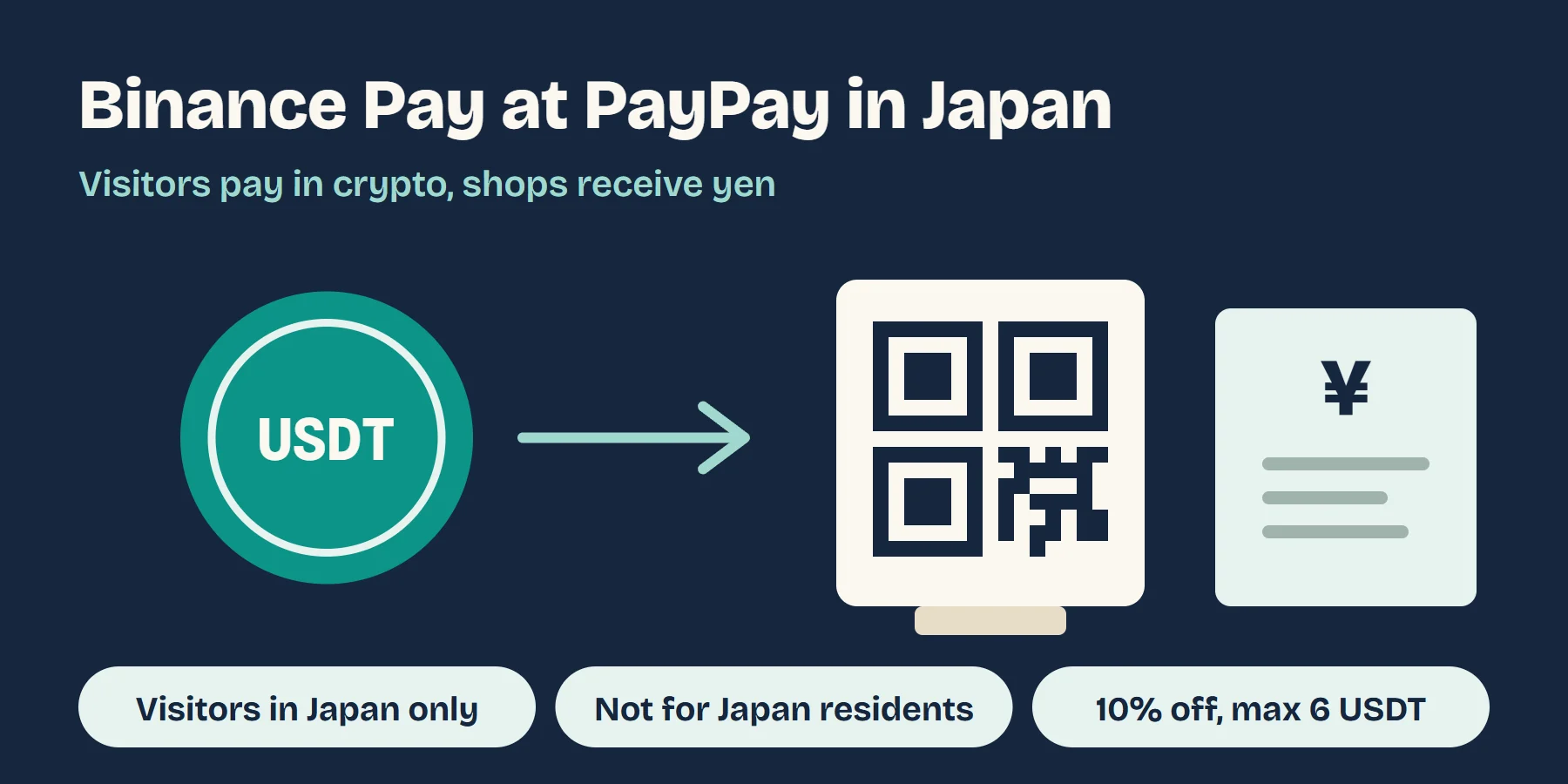
Yes, if you're visiting. Since 30 September 2026 Binance Pay has been connected to HIVEX, the network PayPay uses to accept overseas QR wallets. If you have a verified Binance.com account and you're in Japan, you can open Pay › PayPay in the Binance app, scan a shop's PayPay code or show your own payment code, and pay with USDT, USDC, BTC and other crypto while the shop receives yen. Japan residents, including Binance Japan customers, can't use it. This guide covers whether you qualify, how to pay, what it really costs, which shops won't take it, and what to do when a payment fails.
Contents
- Who can use it and who can't: four conditions
- How to pay: scan, show your code, or use a self-checkout
- What it really costs: the yen rate, fees and the 10% offer
- Which shops take it and which don't
- No PayPay option, a failed scan, or paid but the shop didn't receive it: check in this order
- Other ways to pay in Japan if Binance Pay isn't for you
- What to sort out before you fly
- Common questions
- Read next
01Who can use it and who can't: four conditions
You need all four. Miss one and either the option won't appear in the app or the payment won't go through.
| Condition | What the sources say | What it means for you |
|---|---|---|
| You're in Japan, on a Japanese IP address | Binance: for international visitors physically in Japan with a Japan IP | Not seeing the option while you're still at home is normal |
| Your Binance identity verification is done and the app is up to date | Binance's page | Verify before you travel; if it stalls once you're in Japan you have no fallback in the app |
| You're not a Japan resident | Binance says Japan residents can't use it; PayPay lists Binance Pay's coverage as global excluding Japan and the US | People living in Japan, including Binance Japan users, can't take this route |
| Your Binance account itself works where you live | Binance.com doesn't serve US residents and has not taken new EU sign-ups since 1 July 2026 | If you're in the US or the EU and don't already have an account, this route is closed |
The last one is easy to miss. PayPay accepts Pay from Binance's global platform, and whether you can open an account there depends on where you live. If you don't have one yet and you live somewhere you can sign up, the account and verification steps are in the first stablecoin purchase guide, which also lists the places where sign-up is known to be closed.
02How to pay: scan, show your code, or use a self-checkout
On the Binance app home screen tap Pay, then tap PayPay on the Pay page. What you do next depends on how the shop takes payment:
- There's a PayPay QR code on the counter: scan it with the Binance app, enter the amount and tap Pay. Then show the payment completion screen to the staff; the payment is done once they've confirmed it.
- The cashier has a scanner: show your payment code and the payment completes when they scan it.
- Self-checkout machine: tap バーコード決済 (code payment) on the screen, then hold your payment code to the machine's scanner.
All three are described on Binance's page. Once the completion screen appears and the staff have confirmed it, you're done. It's worth taking a screenshot of that screen each time; if you ever need to query a payment or return something, it does more than a description.
03What it really costs: the yen rate, fees and the 10% offer
Binance says your crypto is converted to yen at the real-time market rate, that the rate is shown on the payment page before you confirm, and that there are no extra transaction fees and no gas fees. You can pay with USDT, USDC, BTC, BNB and more than 100 other cryptocurrencies.
No extra fee doesn't mean no cost. There are three things to work out yourself:
- You already paid once to get the crypto. The USDT in your account was bought with your own currency, and that purchase had a spread or a fee. The stablecoin travel guide breaks down how to estimate it.
- Paying with a coin that moves means selling it at that moment's price. Paying for dinner in BTC or BNB is selling that much at the price of the moment, gains and losses included. If you only want to pay for dinner, a stablecoin such as USDT or USDC keeps the sums simple.
- Look at the rate on the payment page. Before confirming, compare the converted amount with the day's dollar-to-yen market rate. If it's far off, don't confirm.
How it compares with a card: with a card that charges no foreign transaction fee and is charged in yen, your cost is mostly the card network's exchange rate; with Binance Pay, your cost is mostly in buying the crypto. Use whichever is lower for you. This guide shows where to find your card's foreign fee.
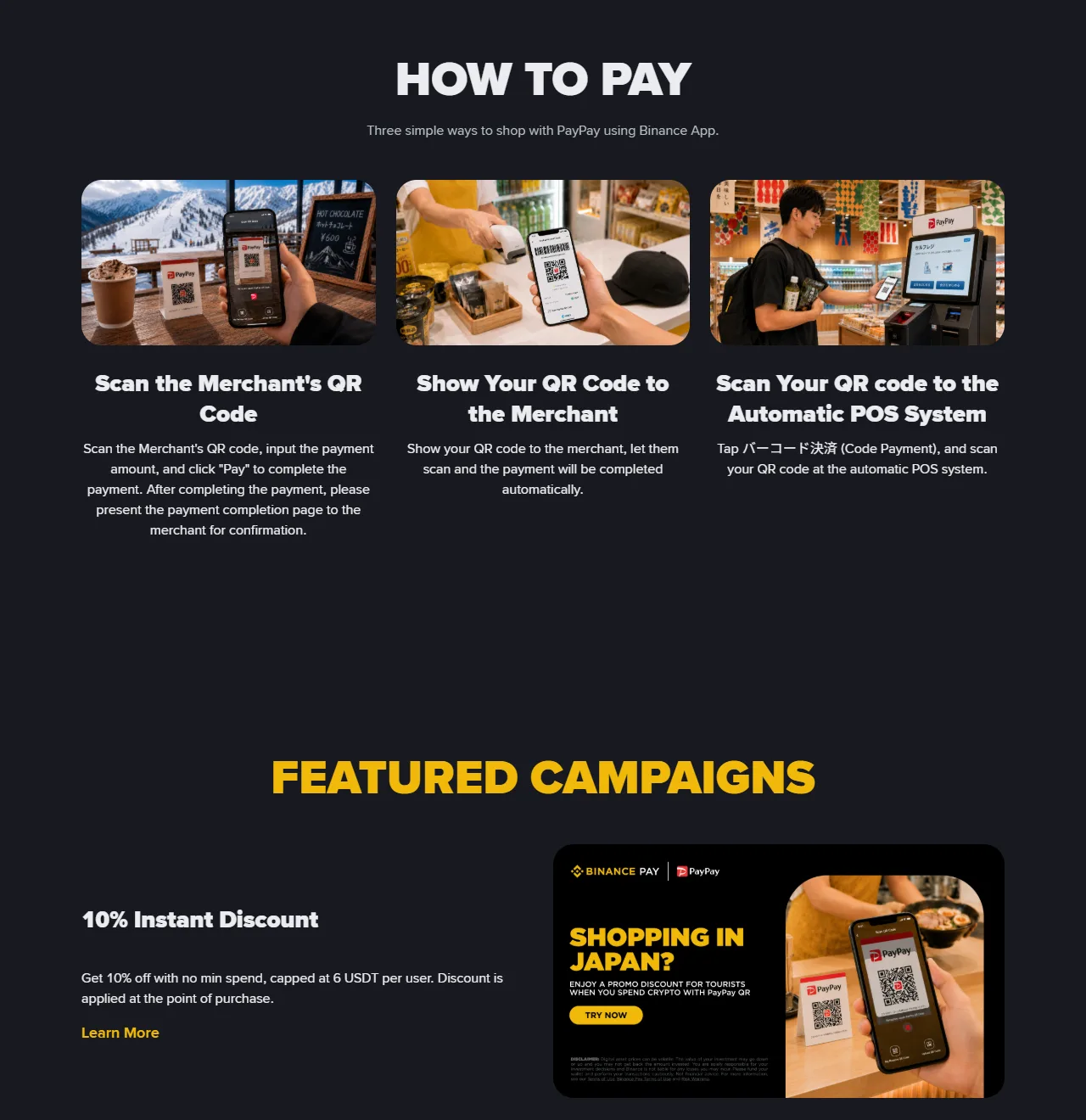
Offers: the 10% instant discount on Binance's page has no minimum spend, comes off at the point of purchase and is capped at 6 USDT per user, so at 10% it maxes out once you've spent about 60 USDT. The page gives no start or end dates; if the payment page shows no discount, that payment didn't get one. There are also merchant coupons of up to 7% at Bic Camera, EDION and Sundrug, which you have to claim first with the Claim Coupon button on the offer page.
Tax: in many countries, spending crypto counts as disposing of it. In the UK, HMRC's cryptoassets manual lists spending tokens on goods or services as a disposal for Capital Gains Tax, so a gain or loss has to be worked out. A stablecoin tracks the dollar closely, but each payment is still a disposal. Rules differ elsewhere, so when you go through your spending at home, check what your own tax authority says about paying with crypto.
04Which shops take it and which don't
Binance lists convenience stores, drugstores, restaurants, shopping malls, electronics stores and hotels, and adds that it depends on each location. PayPay is more specific:
- It covers physical PayPay merchants that take payment either by the customer scanning or by the store scanning. PayPay's notice says money-only merchants (マネー限定加盟店) are excluded.
- The help page says online payment merchants are excluded, so it won't work for online shopping or in-app purchases; it's for physical shops only.
- Merchants are switched on automatically without applying, but they can turn overseas QR payments off. A shop with a PayPay sticker on the door may still not take it.
In practice the quickest test is to try: if it goes through, fine; if it fails, switch to a card or cash rather than retrying at the till.
05No PayPay option, a failed scan, or paid but the shop didn't receive it: check in this order
- The PayPay option isn't in the app. Update the app, make sure your verification is complete, and check that you're actually in Japan. If it's still missing, look at how your phone is connected: when you roam on a home SIM, data often leaves through your home network, so the app may not see a Japanese IP address. Binance doesn't say anything specific about roaming; this is a check based on its Japan IP condition. Connect to Japanese Wi-Fi at the hotel or in a shop, or use a local Japanese eSIM, and open it again. If you're a Japan resident, the option won't appear; use another way to pay.
- The scan fails. The shop may be outside the covered types or may have turned overseas QR payments off (see the previous section). Pay by card or cash instead of scanning again and again.
- Not enough balance. If there isn't enough crypto in your account, top it up in the app first. The payment page shows how much crypto the payment converts to; check it before confirming.
- The app says it's paid but the shop says nothing arrived. Don't pay a second time. Show the completion screen (Binance asks you to show it after paying anyway) and ask the staff to check their PayPay records. If it still doesn't match, contact support in the Binance app with the time, amount, shop name and a screenshot of the completion screen. Never give your password or verification codes to anyone, including someone who says they're support.
- You want to return something. Neither Binance's nor PayPay's public pages say how refunds work for visitors. Start with the shop, and keep the receipt and the completion screenshot. Because you paid in crypto and the shop was paid in yen, the amount that comes back may not exactly match what you paid.
06Other ways to pay in Japan if Binance Pay isn't for you
If you live in Japan or the US, don't have a Binance account, or would simply rather not pay in crypto, these are the alternatives:
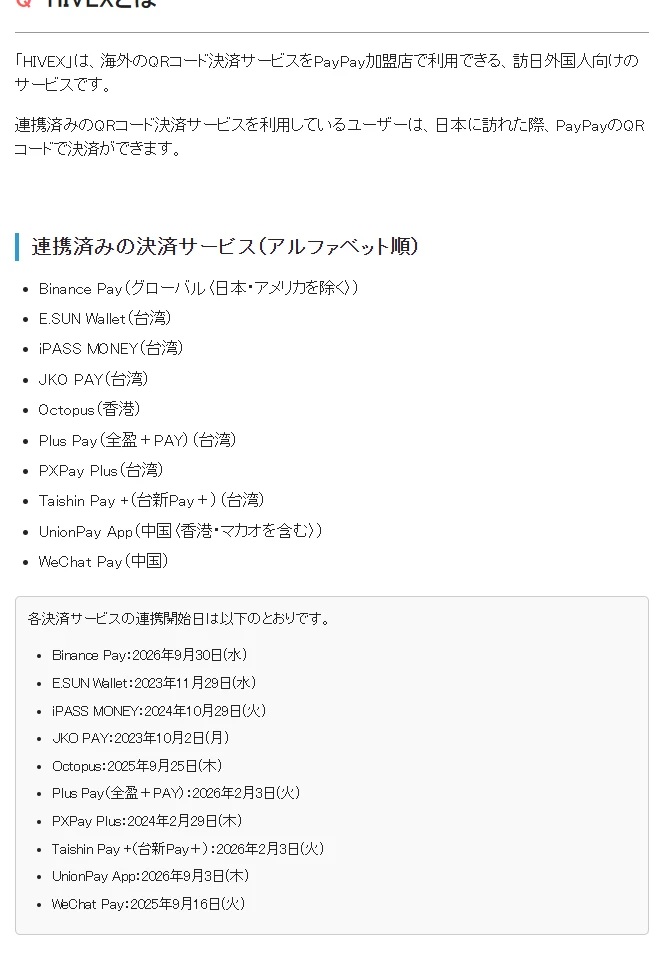
- A wallet you already use. PayPay's help page lists the other overseas wallets connected through HIVEX: WeChat Pay (China), the UnionPay app (China, including Hong Kong and Macau), Octopus (Hong Kong), and JKO PAY, E.SUN Wallet, PXPay Plus, iPASS MONEY, Plus Pay and Taishin Pay+ (Taiwan). Their users can also scan PayPay codes in Japan.
- A card or a phone wallet. If the terminal asks which currency to charge in, choose yen, not your home currency; here's why. For how tapping with Apple Pay or Google Pay is charged, see the mobile wallet guide.
- Cash. Some small shops and vending machines take cash only, so a little yen in your pocket saves trouble. For who charges what when you take yen out of an ATM, see the ATM fees guide.
07What to sort out before you fly
- Finish your Binance identity verification at home and update the app.
- Decide which coin you'll pay with and have it ready; if you don't want price risk, use a stablecoin.
- Bring a card that works abroad and some yen in cash, for the times a scan won't work.
- Sort out data in Japan: a local eSIM, a pocket Wi-Fi, or knowing where free Wi-Fi is.
For the rest of the travel wallet, see the full pre-trip money checklist.
08Common questions
Can Japanese residents use Binance Pay at PayPay merchants?
No. Binance says the feature is only for international visitors physically in Japan and is not available to Japan residents, and PayPay lists Binance Pay's coverage as global excluding Japan and the US.
Does Binance charge a fee to pay with crypto in Japan?
Binance says there are no extra transaction fees and no gas fees, and that crypto is converted to yen at the real-time market rate shown on the payment page before you confirm. What you paid to buy the crypto, and any price movement if you pay with something like BTC, is not included.
How does the 10% Binance Pay discount in Japan work?
There is no minimum spend, the discount comes off at the point of purchase, and it is capped at 6 USDT per user. Binance's page does not give start or end dates; if the payment page shows no discount, that payment did not get one.
Which cryptocurrencies can I use at PayPay merchants?
Binance lists USDT, USDC, BTC, BNB and more than 100 other cryptocurrencies.
I am in Japan but the PayPay option is missing from the Binance app. What should I do?
Update the app and make sure your identity verification is complete. The option needs you to be in Japan on a Japanese IP address; if you are roaming on a home SIM your IP may not be Japanese, so try local Japanese Wi-Fi or a Japanese eSIM. If it still does not appear, pay by card or cash.
09Read next
Update note: First published 2026-10-13. The conditions, the three ways to pay, the exchange rate and fees, the supported coins and the offers come from Binance's "Travel Japan with Binance" page; the covered and excluded merchant types and the coverage area come from PayPay's merchant notice of 30 September 2026 and its help page on HIVEX; the UK tax point comes from HMRC's cryptoassets manual, CRYPTO22100; the US and EU sign-up limits and their sources are in the first stablecoin purchase guide. All were read on 2026-10-13.
Sources: Binance: Travel Japan with Binance · PayPay merchant notice: Binance Pay added to HIVEX (30 Sep 2026) · PayPay merchant help: HIVEXとは · HMRC Cryptoassets Manual CRYPTO22100.